
Stake ETH
1 Connect Your Wallet
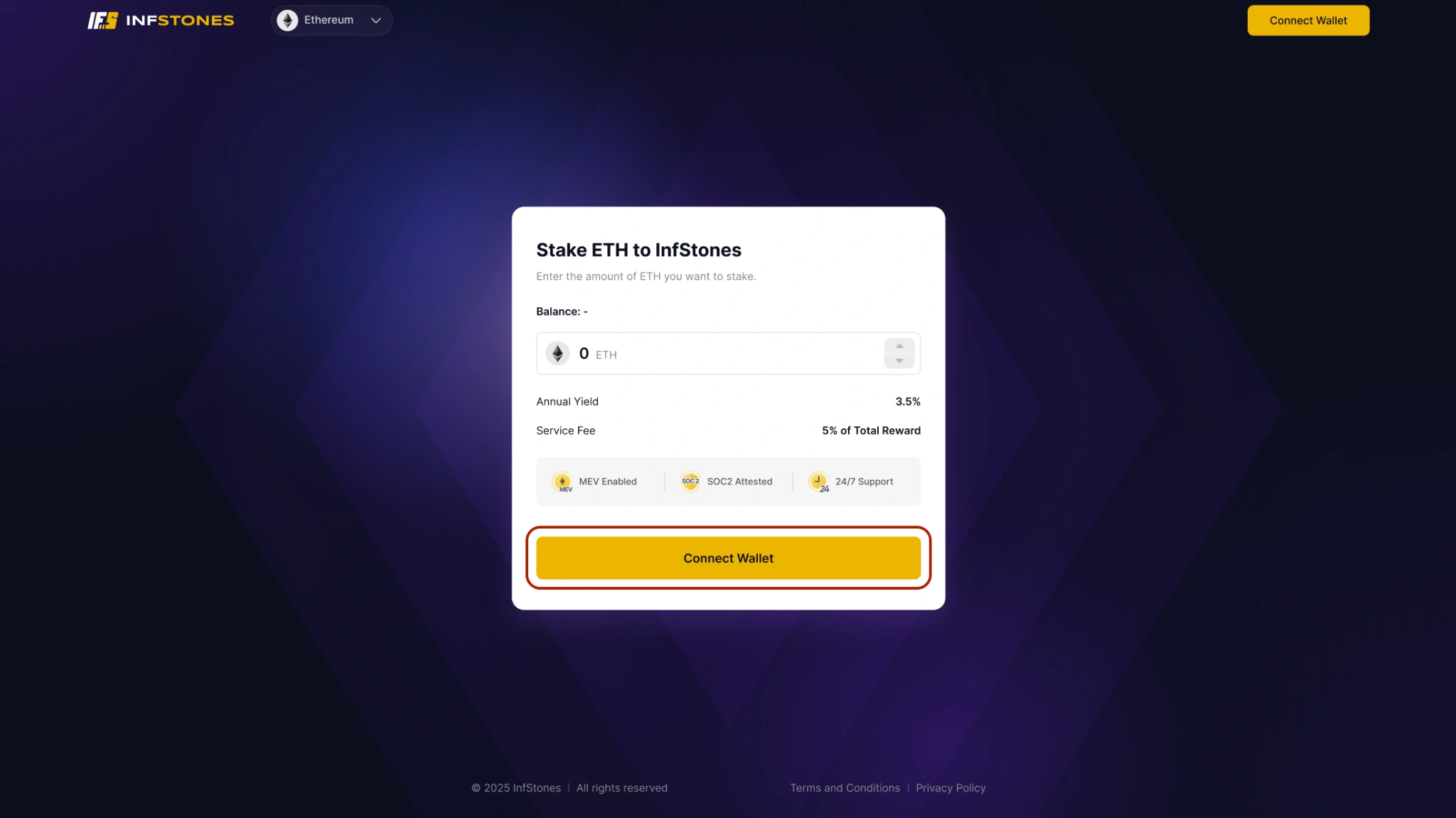
Navigate to the InfStones Ethereum Staking Dapp. Click Connect Wallet and select your wallet provider. Once connected, you are taken to the My Asset page.
2 Stake ETH
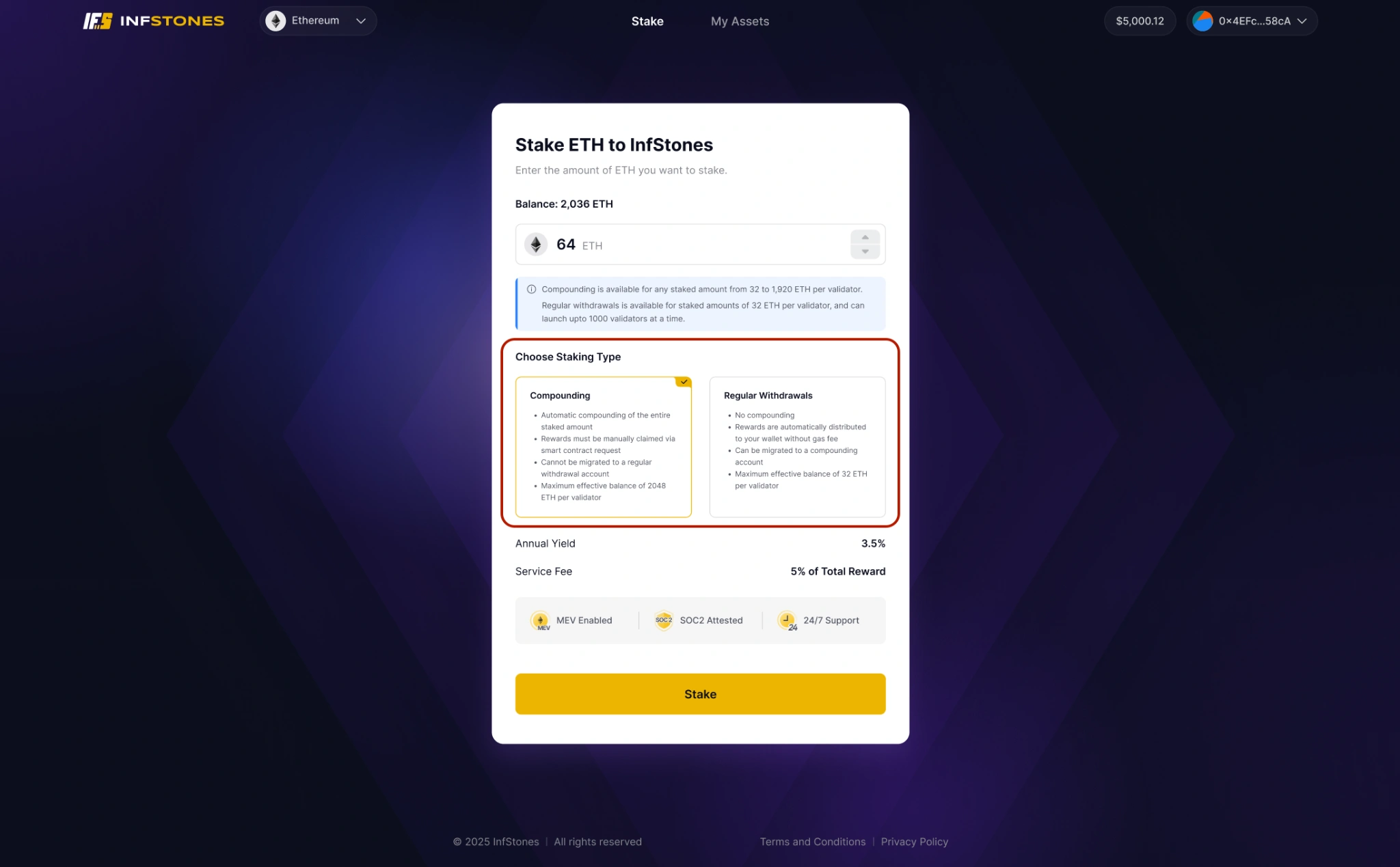
On the My Asset page, click Stake. Enter the amount of ETH you wish to stake and select a staking mode:
- Standard — rewards are distributed to your wallet regularly
- Compounding — validators retain and compound rewards automatically up to 2,048 ETH; partial withdrawals are supported without exiting
Review the displayed annual yield and commission fee, then confirm the transaction in your wallet.
3 View Your Validators
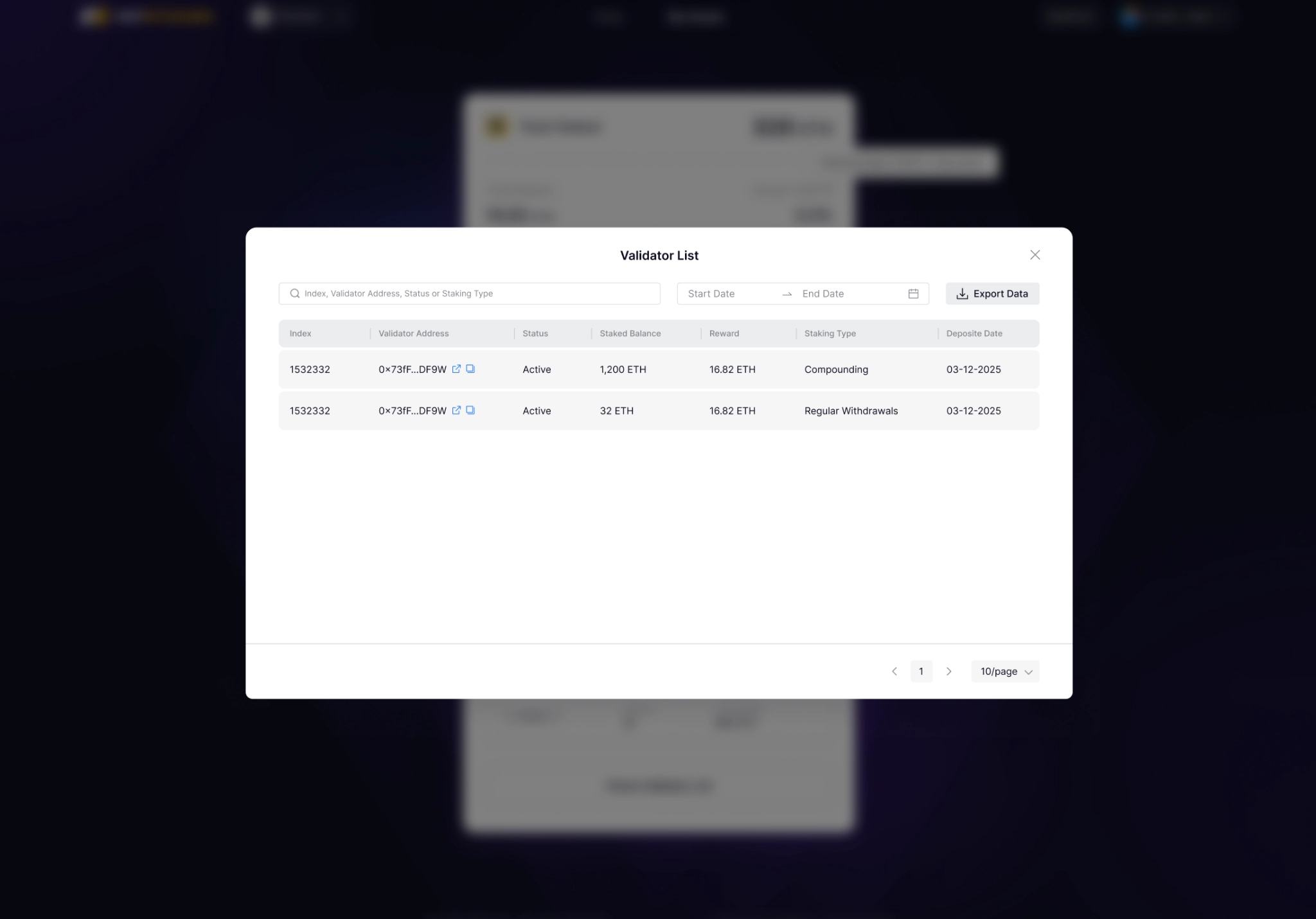
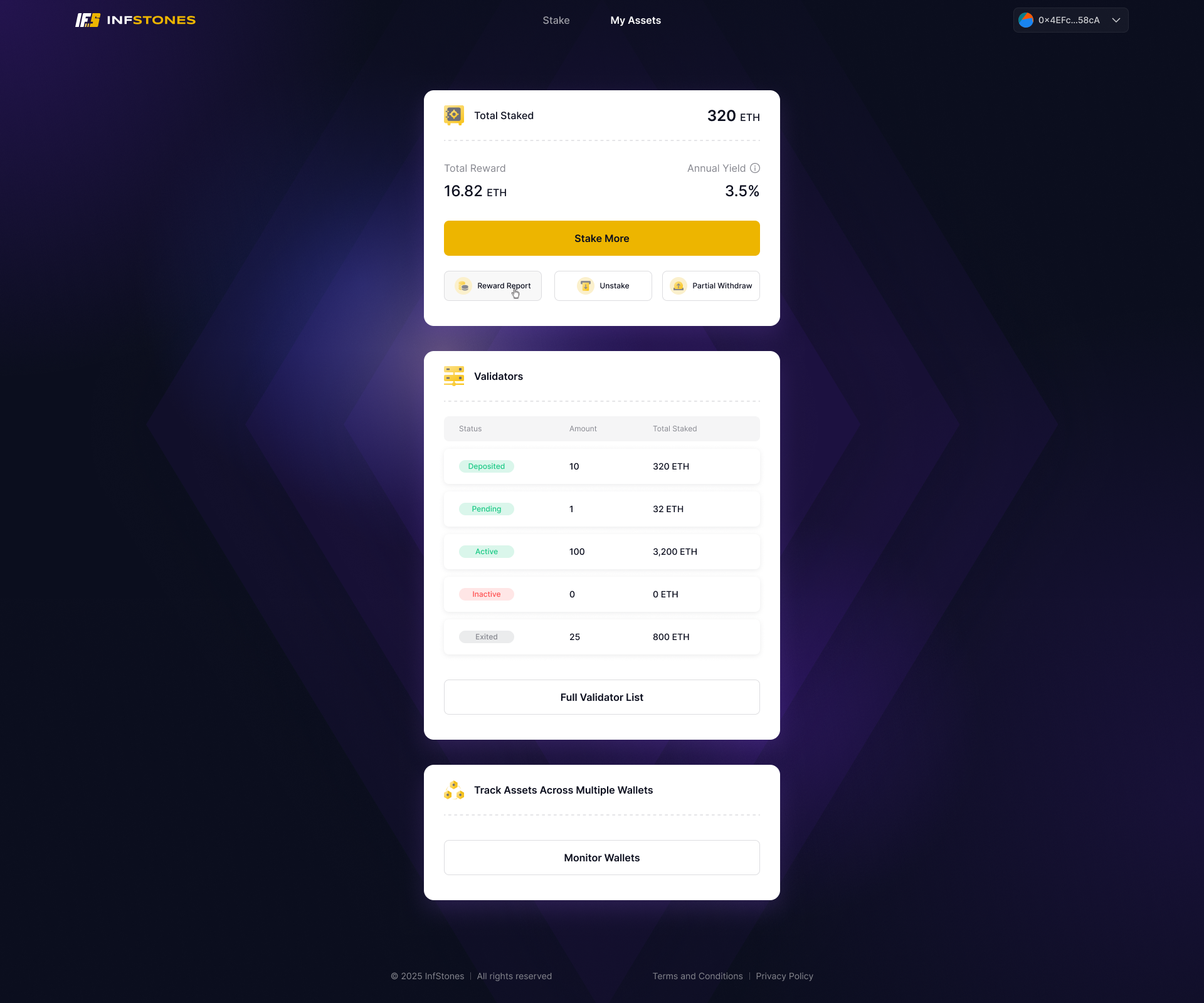
The Validator List displays all validators associated with your connected wallet and their current status.
4 Track Staking Rewards
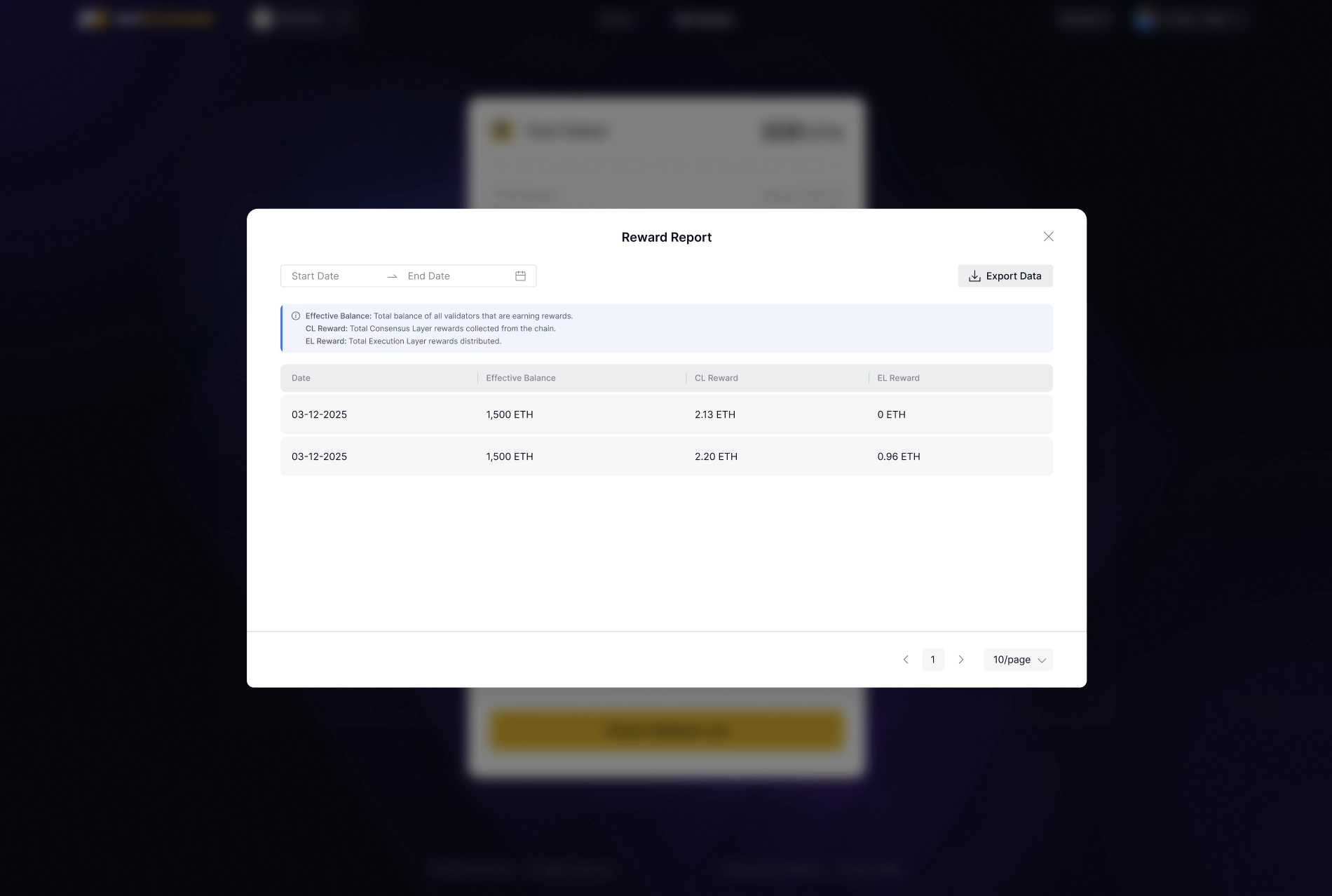
The Reward Report aggregates your daily reward data. Use the date filter to review historical reward performance.
5 Multi-Wallet Dashboard
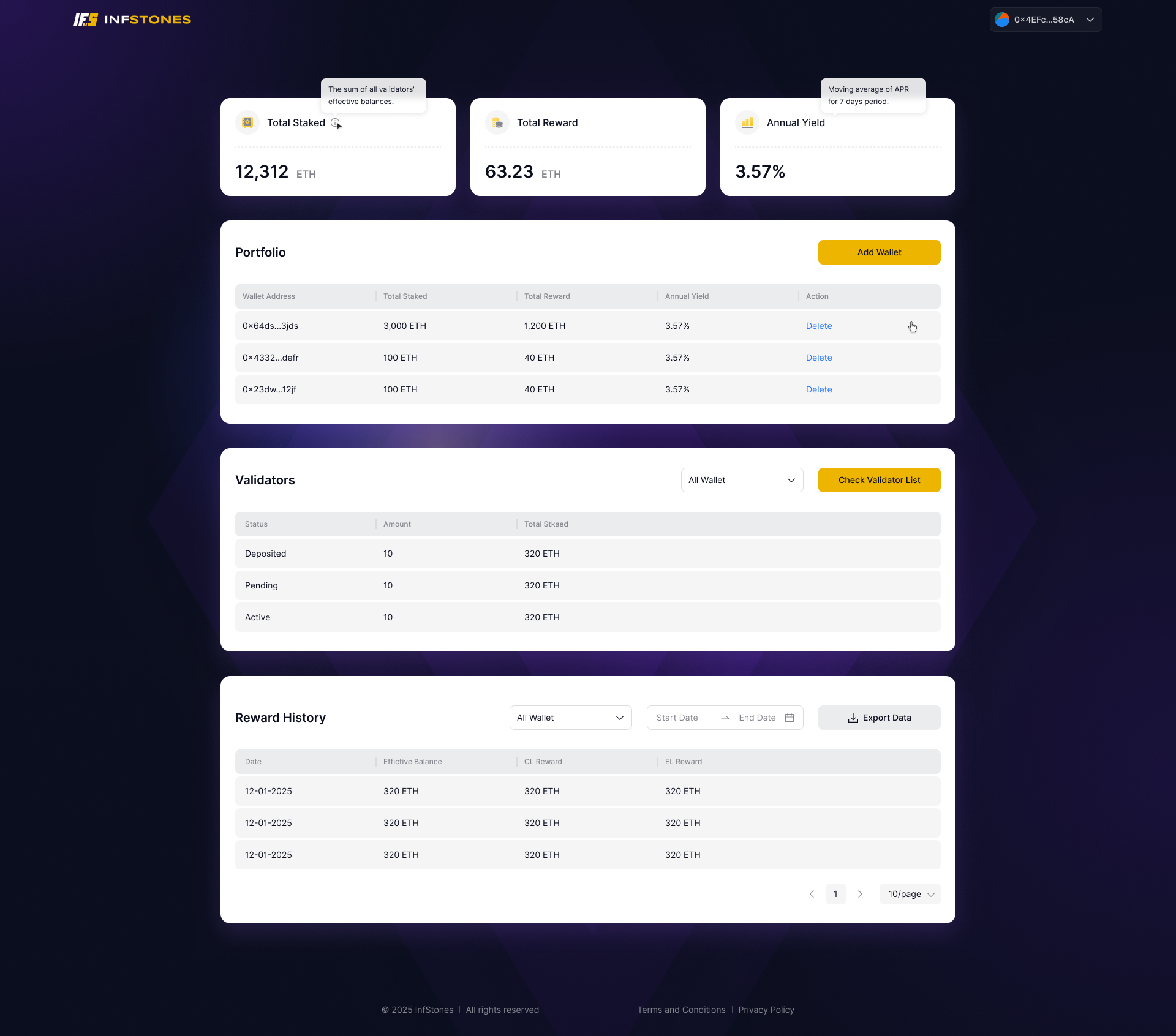
The Multi-Wallet Dashboard provides a unified view of ETH balances, validators, and reward history across all your wallets — without switching wallet connections.
5.1 How to Access
- Log in to the InfStones Ethereum Staking Dapp, navigate to the My Asset page, and click Monitor Wallets under the "Track Assets Across Multiple Wallets" section.
- You are now on the Multi-Wallet Dashboard. Click Add Wallet to add your wallet addresses.
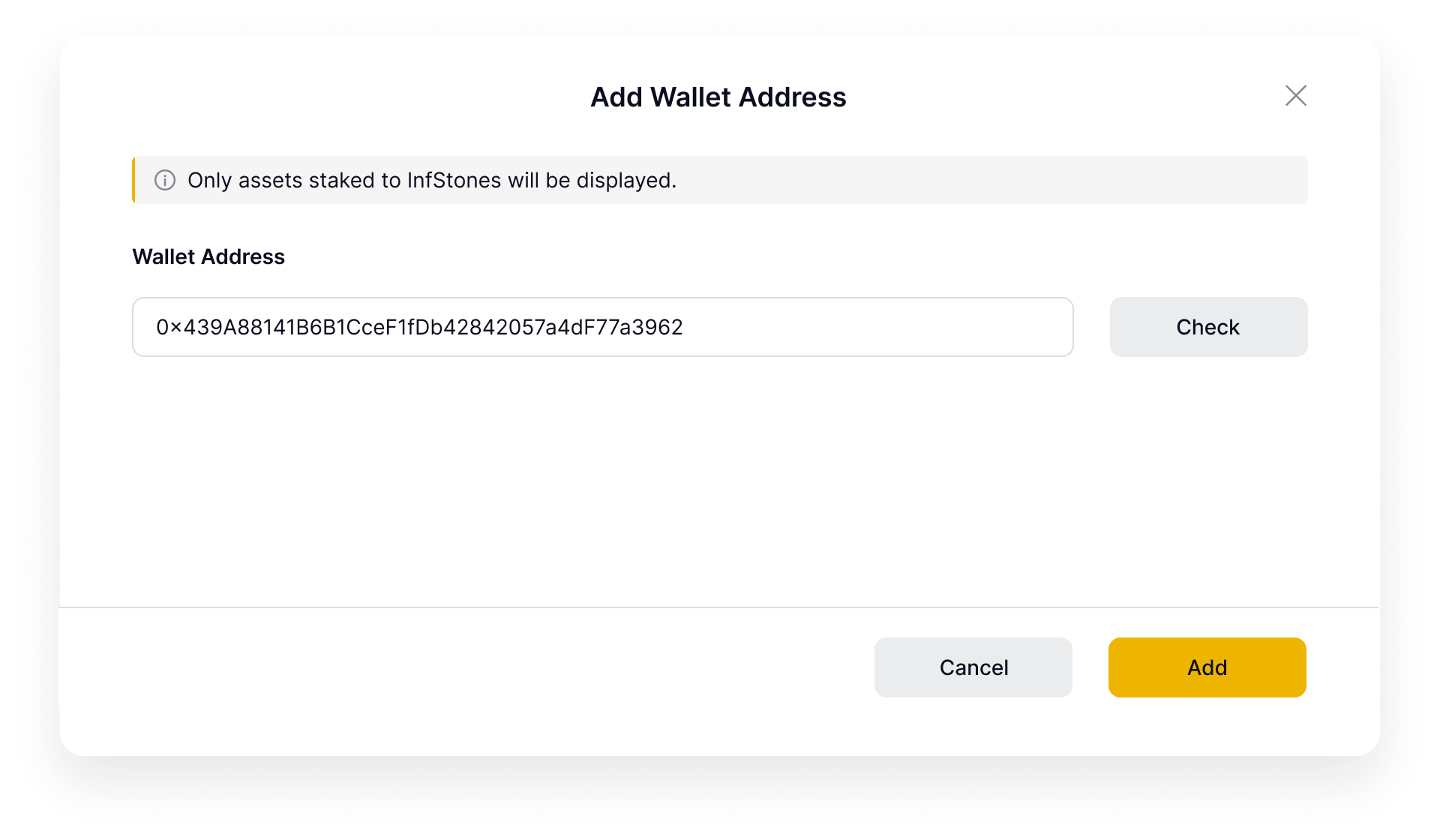
- Enter your wallet address in the dialog and click Confirm. The dashboard will populate with your aggregated balance, validator list, and reward data.
5.2 Dashboard Features
| Section | Description |
|---|---|
| Aggregated Balance | Total ETH balance across all added wallets |
| Validator List | All validators, filterable by individual wallet or all wallets |
| Reward Report | Full reward history, filterable by individual wallet or all wallets |
5.3 Managing Wallets
- To add a wallet: click Add Wallet and enter the wallet address
- To remove a wallet: select the wallet from the list and click Remove